- Course overview
- Search within this course
- What is UniProt?
- Where does the data come from?
- Why do we need UniProt?
- When to use UniProt
- Quiz: Check your learning I
- How to access and navigate UniProt
- How to search UniProt
- Annotation score
- Quiz: Check your learning II
- How to use UniProt tools
- How to get data from UniProt
- How to submit data to UniProt
- When to use UniProt: guided examples
- Exercise: finding entries with 3D structures
- Exercise: mapping other database identifiers to UniProt
- Summary
- Get help and support on UniProt
- References
- Next steps
- Your feedback

All materials are free cultural works licensed under a Creative Commons Attribution 4.0 International (CC BY 4.0) license, except where further licensing details are provided.
External links
Linking to other resources
Cross-references are provided to more than 180 additional databases to allow you to access related information in other data collections. A single entry can have cross-references to many different databases and have several hundred individual links. The full list of cross-referenced databases is available here.
Where to find links
These links are located in the appropriate section of the UniProtKB record to help you find the data easily. For example, links to databases with expression data are in the ‘Expression’ section of an entry (Figure 42).

See all links together
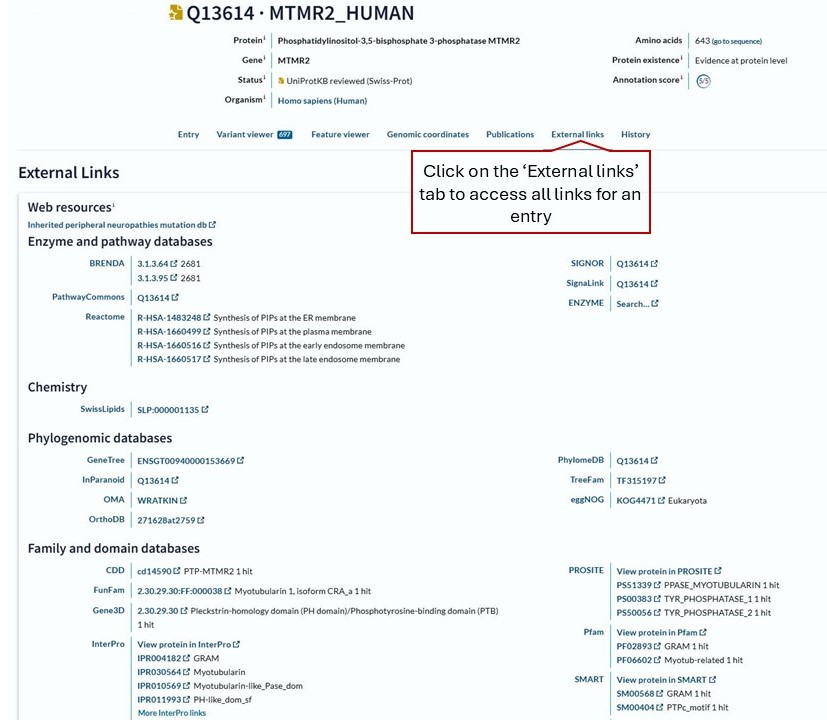
As well as the links in the relevant entry sections, you can also view all links together by clicking on the ‘External links’ tab near the top of each entry. This will take you to a page showing all of the links for the entry you are looking at (Figure 43). The links are organised into categories to allow you to easily find specific databases or types of resources grouped together.