GWAS Catalog
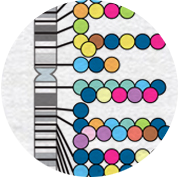
The NHGRI-EBI GWAS Catalog is a quality-controlled, manually curated, literature-derived collection of all published genome-wide association studies.
Data resources and analysis tools to support life science research
EMBL’s European Bioinformatics Institute (EMBL-EBI) maintains the world’s most comprehensive range of freely available and up-to-date molecular data resources.
Our full range of data resources and data analysis tools are essential for supporting life science research.
The NHGRI-EBI GWAS Catalog is a quality-controlled, manually curated, literature-derived collection of all published genome-wide association studies.

A deep catalog of shared human genetic variation in population groups worldwide that follows from the 1000 Genomes Project.

Database for protein structure predictions for numerous species

Maps identifiers to or from UniProtKB

Zooma is a curator environment for discovering optimal ontology annotations based on real, manually reviewed data.

Submission Tool for Functional Genomics Data to the ArrayExpress Collection in BioStudies.
Open
EMBL’s Open Science policy makes databases, code and software freely available to scientists whenever possible. Our Terms of Use impose no additional restrictions on data use, beyond those imposed by the data owner. Our Licensing policy aims to implement machine-readable cc0 licenses for data resources wherever possible. Our teams work open-source and many of our software systems can be downloaded and installed locally.
Long-Term Resilience
Delivery of our mission, to help scientists realise the potential of big data in biology, depends on the long-term resilience of our data resources. This is ensured through resource life cycle management, staffing and infrastructure continuity measures, data backup and delivery through international partners. Our approach to data preservation and service continuity.
Expert Added Value
Our communities of expert biologists enhance the data we steward via curation and annotation. This includes integration with data from other sources such as the scientific literature. Increasingly, curators use emerging technologies such as text mining, machine learning, large-language models and other AI tools to automate and scale, subject to rigorous evaluation and quality control. Our work integrating the latest advances in AI